
A NAS replaces the cloud for storage, not for backup
That sentence needs to be understood before any money is spent, and it is not something sellers say often.
A NAS is a box holding several hard drives, connected to the home network, so every device in the house stores and opens files from one place. As storage and access, it genuinely replaces a cloud service.
As backup, it does not, because your data is in the same building as you. If the house burns, floods, or is burgled, the data goes with everything else.
The rule people use is three copies, on two kinds of media, with one copy off the premises. A NAS gives you the first two. The third still has to come from the cloud, or from a drive kept at a relative's house and swapped periodically.
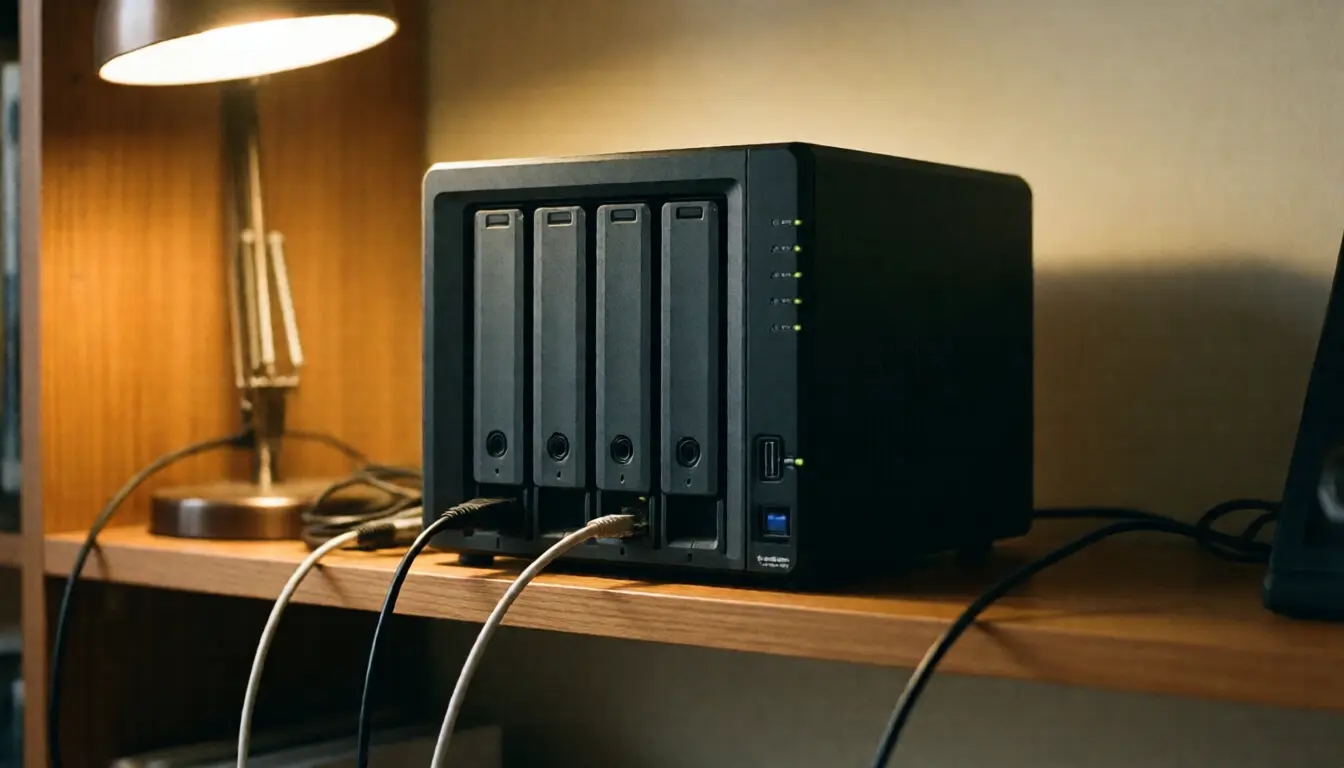
RAID is not backup, and this is the most expensive misunderstanding
People buy a four-bay NAS, fill it with drives, configure RAID and feel safe, which is the wrong feeling in almost every situation where data is actually lost.
RAID protects against one thing: a drive failing. When that happens the system keeps running, you fit a new drive and it rebuilds.
What RAID does not protect against at all is deleting a file yourself and noticing three months later, ransomware encrypting everything it can reach, a surge destroying the NAS board along with every drive in it, a flood downstairs, and the whole box being stolen.
Those five are how people actually lose data. A single failed drive, the case RAID handles, is both less common and less damaging.
Think of RAID as keeping the NAS running when a drive dies, not as keeping the data safe, and plan a separate backup regardless.
Two limits of Thai home internet to know before buying
Upload speed is what determines how fast you can open files from your NAS when you are out of the house, not the download speed advertised on the package.
When you pull a file from the NAS at home, what is happening is that your house is uploading that file to you. If your package uploads far more slowly than it downloads, playing a video from the NAS while out will be much slower than you expected.
Check your actual upload speed before deciding, and if using it remotely is the main point, ask the provider whether a package with faster upload exists.
Not having a public IP address is the limit that confuses people most, because many providers put home connections on shared addresses, which makes opening a port through to your NAS from outside impossible.
There are two answers. The first is to use the NAS manufacturer's own connection service, which routes through their servers and works immediately with nothing to configure. The second is to ask the provider for a public address, which some offer for an additional fee.
Ask about this before buying rather than after installing and discovering you cannot reach it from outside.
Heat and power, two things Thai homes must watch
A NAS is left running twenty-four hours a day, so it meets two problems an ordinary computer does not.
Heat, because hard drives have shorter lives running continuously at high temperature, and the air in a Thai house is warmer than the standard conditions manufacturers design against.
So do not put it in a closed cabinet, do not stand it on a rug that blocks the underside vents, and leave at least a hand's width of clear space on every side. If a room has air conditioning that runs some of the time, put the NAS in that room.
Power, because a sudden cut while the NAS is writing can corrupt the file system, a form of damage RAID does nothing about, since it happens to every drive at once.
An uninterruptible power supply is therefore not an optional extra for a NAS but something to have from the first day, and choose one that can tell the NAS to shut itself down properly when the battery runs low, which most NAS units already support. Sags and surges at home are covered in voltage sags and surges.

Security, where the mistakes are costly
A NAS connected to the internet is a computer that is always on and holds the whole household's data, which makes it an interesting target.
Four things to do from day one.
Do not expose the NAS admin interface directly to the internet. Reach it through the manufacturer's service or a private connection only. Leaving the admin port open is behind a great many cases of data being encrypted for ransom.
Disable the administrator account the device came with and create a new one in your own name, because the standard account name is the first thing tried.
Turn on two-step verification, which every current NAS brand provides and which takes five minutes to set up.
Update the firmware when notified, because most vulnerabilities used against these devices are ones the manufacturer patched and the owner never installed.
And if you plan to store home CCTV footage on it, read about retention limits and data protection law in home CCTV and PDPA first, since recorded footage comes with its own conditions.
Working out whether it pays, honestly
Do not compare the price of a NAS against a monthly cloud fee directly, because the two have different shapes of cost.
The cloud side is easy: monthly fee multiplied by sixty is the five-year cost.
The NAS side has four parts: the unit, every hard drive, the electricity from running continuously, and at least one round of drive replacement within five years.
Electricity is calculated from the wattage the manufacturer states, multiplied by twenty-four hours, by three hundred and sixty-five days, divided by a thousand, then multiplied by what you actually pay per unit, giving the annual running cost.
Add all four and compare, and you will find that if your data is tens of gigabytes, the cloud is far cheaper and simpler. If it is several terabytes, the NAS starts to pay and pays more the larger it gets.
And do not forget that for many households the best answer is both: a NAS for the large files in daily use, and the cloud as the off-premises copy of what genuinely cannot be lost, which is usually far less data than people assume.
Frequently asked questions
With a NAS, do I still need the cloud?
You should, because the NAS is in the same building as you. If there is a fire, a flood or a burglary, the data goes too. An off-premises copy is always still necessary.
Is RAID enough to be safe?
No. RAID covers one failed drive only. It does not cover deleting files yourself, ransomware, a surge that destroys the whole unit, a flood, or theft.
Why is opening a file from my NAS slow when I am out?
Because it depends on your home connection's upload speed, not the advertised download speed. Check the actual upload figure before buying.
I cannot reach it from outside at all. Why?
Usually because the house does not have a public IP address. Use the manufacturer's connection service, or ask the provider for a public address. Ask about this before buying.
Do I really need a UPS?
From day one, because a power cut while the NAS is writing can corrupt the file system, which RAID does not help with. Choose one that can shut the NAS down properly.
In short
- A NAS replaces the cloud for storage and access, but never for the off-premises copy.
- RAID covers one failed drive. It does not cover deletion, ransomware, surges, floods or theft.
- Your home upload speed is what determines the experience of using it from outside.
- Give it air, and have a UPS from the first day.
- Never expose the admin interface, disable the default account, and turn on two-step verification.
- Cost it over five years including drives, electricity and replacements before comparing with the cloud.